Introduction
Inside a computer, all information is stored as binary numbers – either a 1 or a 0. This means either a switch being open or closed or the different voltage levels travelling down a wire.
Every type of data – sound, graphics, text, animations, etc. – will always be stored as a series of binary numbers. Each number has a size; the bigger the size, the bigger the data.
In this lesson, we’ll learn about:
- The difference between binary and decimal
- How to convert decimal numbers to binary
- How to convert binary numbers to decimal

How Decimal Works
Let’s think about the number 12.
It’s actually two separate numbers – 1 & 2. However, they belong to different columns. A “tens” column and a “ones” column.
The number 12 can be thought of as ONE TEN and TWO ONEs.
In the decimal system, each column goes up in multiples of 10. Each column can be given a value of 0-9 (10 possible values).
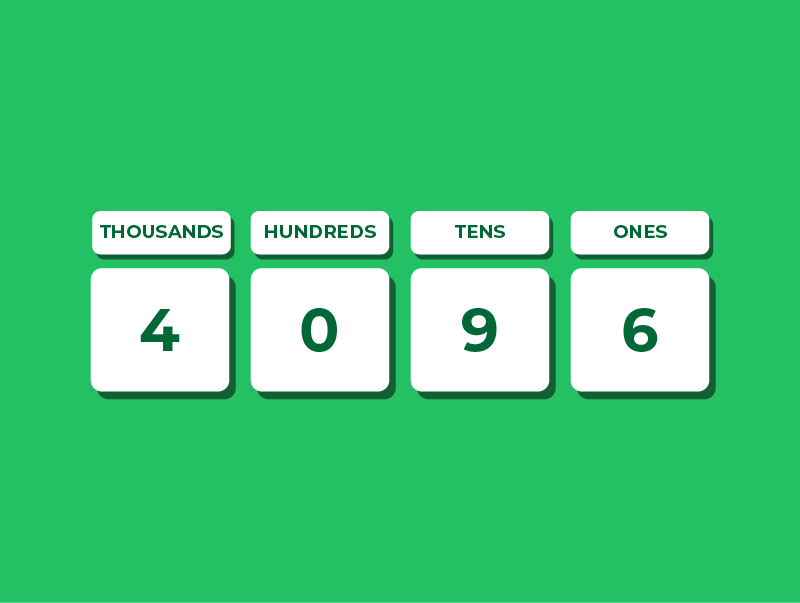
So, if we look at the number 4096, we would see that we have:
- 4 thousands
- 0 hundreds
- 9 tens
- 6 ones
This should all be pretty familiar to you from primary school & key stage 3.
How Binary Works
Binary numbers work very similarly to decimal, except the columns increase in multiples of two, and each column can only store a 0 or 1.
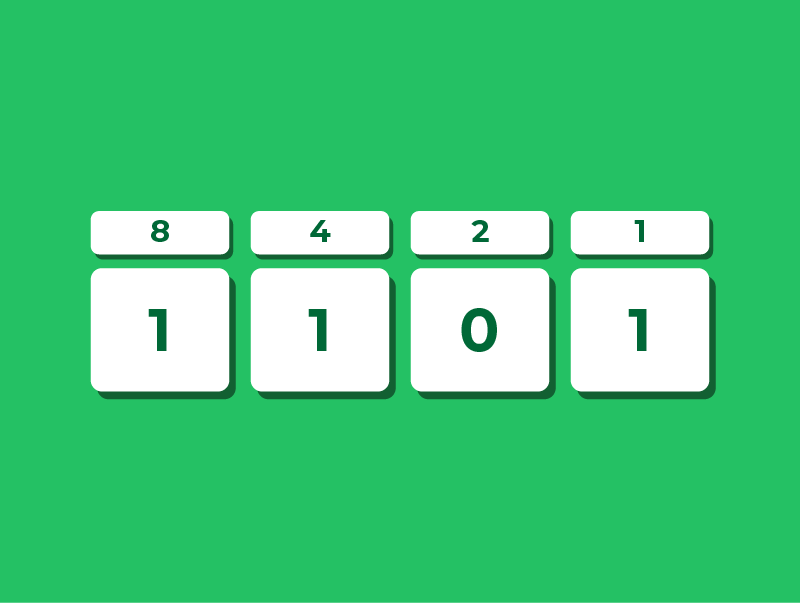
In binary, each column is simply a multiple of 2. So the first column represents 1, the next represents 2, then 4, 8, 16, and so on.
Each position tells you whether that value is included in the total number.
So, if we look at the number 1011, we would see that we have:
- 1 eight
- 0 fours
- 1 two
- 1 one
If we add the values of all the columns where a 1 appears, we get 8 + 2 + 1 = 11. So the binary number 1011 equals 11 in decimal.
Bit Lengths
When we write a binary number, we also need to know how many bits we are allowed to use.
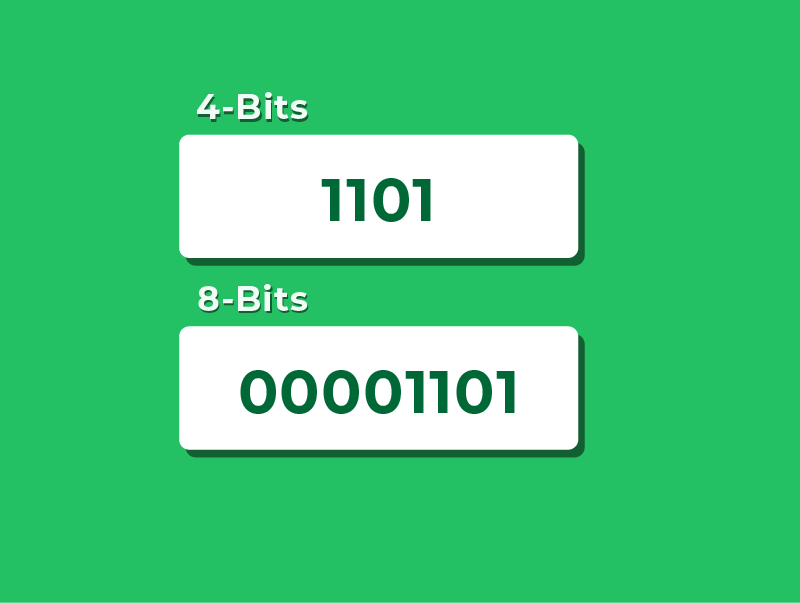
A 4-bit number, often known as a nibble, has four binary digits and can store values from 0 to 15.
An 8-bit number, often known as a byte, has eight binary digits and can store values from 0 to 255.
Of course, computers don’t only use 4 or 8 bits.
Numbers can be stored using 16 bits, 32 bits, 64 bits or more, depending on how much range or precision is needed.
Why’s it important to know how many bits we are using?
Well, unlike decimal, where we normally drop unnecessary leading zeros, in binary we show all the bits, even the leading zeros.
So the 4-bit representation of 5 must be 0101, not just 101.
Converting Decimal to Binary
In order to convert decimal to binary, you need to ask yourself the following question:
Can I take away my binary column from my decimal number and be left with a positive?
Or
Can my binary column fit into my decimal number?
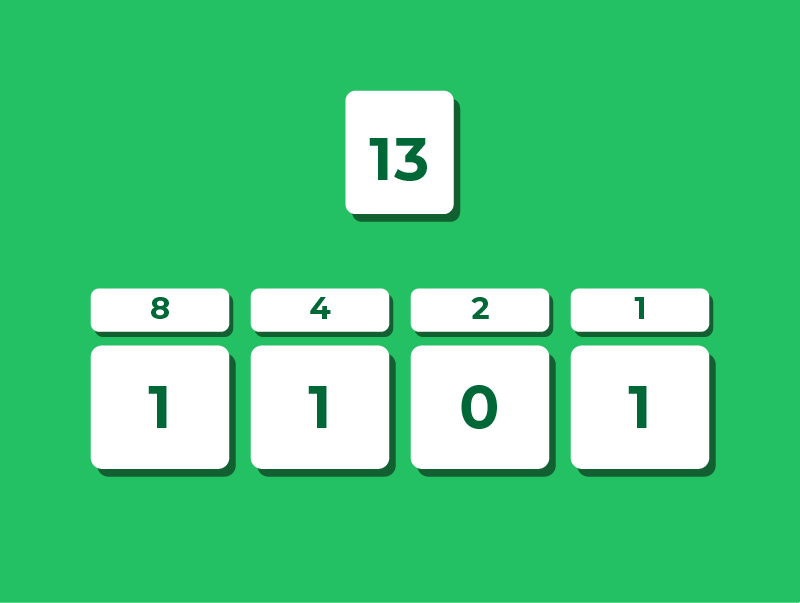
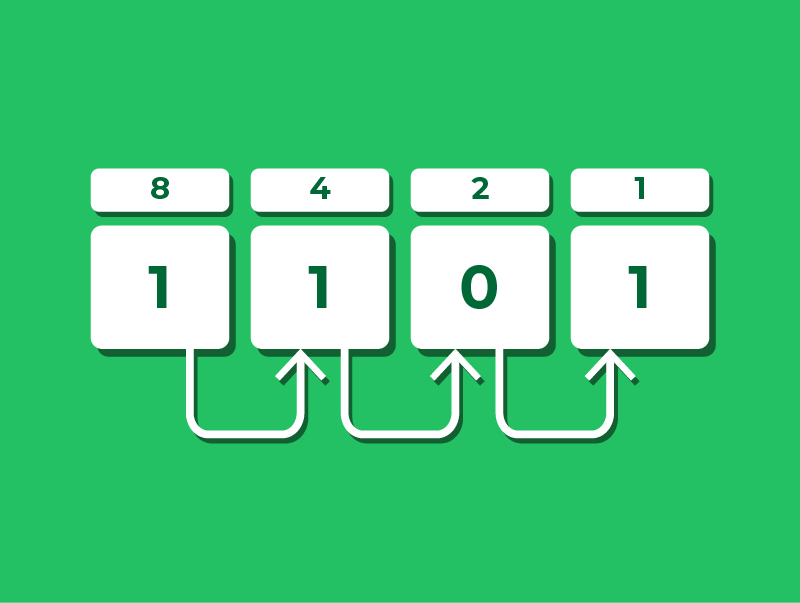
Let’s examine the decimal number 13 and convert it into a 4-bit binary number.
The first step when converting between decimal & binary is to get your columns drawn out.
Remember, the smallest numbers are on the RIGHT, and the numbers go up by multiples of 2 RIGHT TO LEFT.
Converting 13 to Binary
Step 1 – Start with the 8 column. Can 8 fit into 13? Yes, so we have one of these, so we put 1 in the 8 column.
Now we take 8 away from 13: 13 – 8 = 5.
Step 2 – Move onto the 4 column. Can 4 fit into 5? Yes, so we have one of these, so we put 1 in the 4 column.
Now we take 4 away from 5: 5 – 4 = 1.
Step 3 – Move onto the 2 column. Can 2 fit into 1? No, so we don’t have one of these, so we put a 0 in the 2 column.
Step 4 – Move onto the 1 column. Can 1 fit into 1? Yes, so we have one of these, so we put a 1 in the 1 column.
Now we take 1 away from 1: 1 – 1 = 0.
Our conversion is now finished: 13 in binary is 1101.
Converting Binary to Decimal
In order to convert from binary to decimal, we take our binary number and put it in the columns.
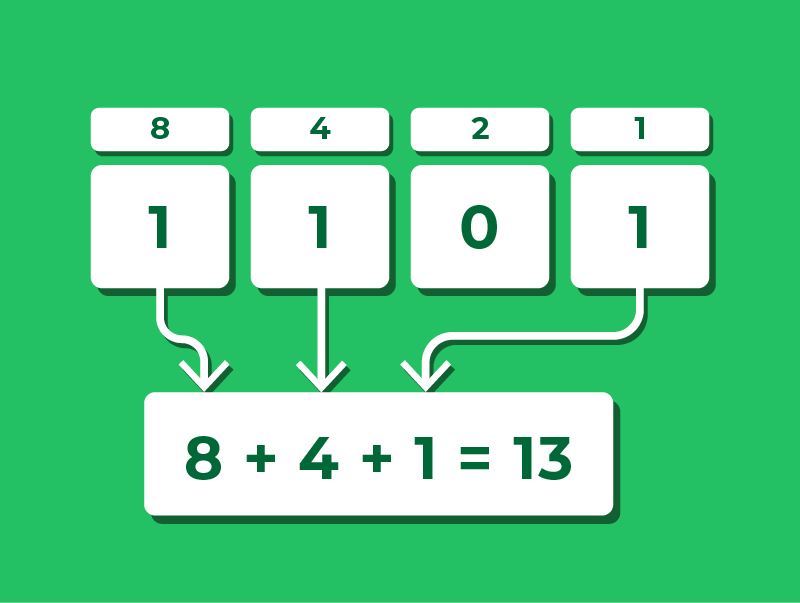
Let’s take the number 13 again. In a 4-bit binary, we saw that this was 1101.
To convert this back into decimals, we need to work out which columns have a ONE in them.
Then, we simply need to add up these column heading values: 8 + 4 + 1 = 13.
This works for any number. For example, the binary number 10110 uses the 16, 4 and 2 columns.
Adding these gives 16 + 4 + 2 = 22.
Showing Which Number System We’re Using
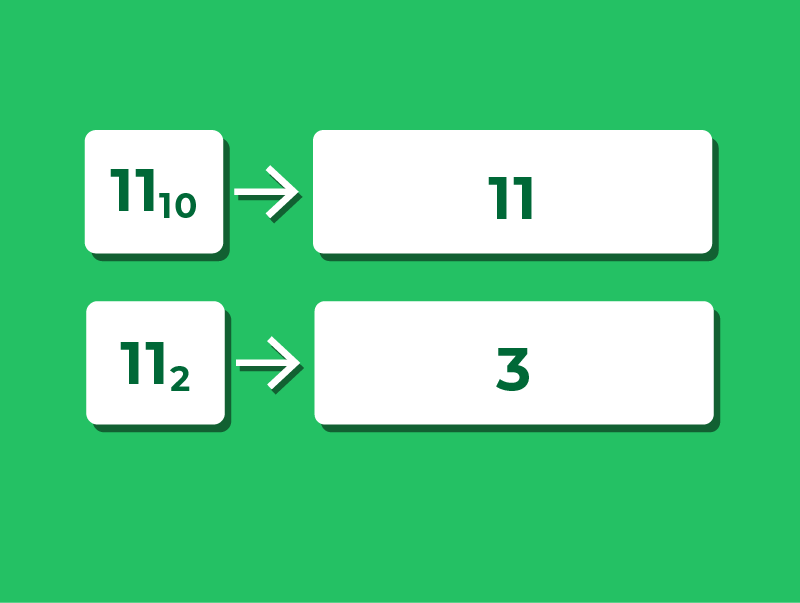
Binary numbers are written using the digits 0 and 1, which are also used in decimal.
Because the symbols look the same, we sometimes need a clear way to show which number system a value belongs to.
One way to do this is with a small number written after the value:
- 13₁₀ means “13 in decimal (base 10)”
- 1011₂ means “1011 in binary (base 2)”
If no small number is shown, you can usually assume the number is using decimal, unless it clearly states that the number is binary.
Lesson Summary
All data exists in a computer as binary data – a 1 or a 0.
The decimal number system is based on a counting system where columns go up by multiples of 10.
The binary number system is based on a counting system where columns go up by multiples of 2.
We need to know the bit length because it determines the number’s range and required leading zeros.
To convert decimal to binary keep taking away until you reach zero.
To convert binary to decimal, add up all the binary columns that contain a 1.
When converting decimal to binary you should only have a 1 or a 0 in each column.