Introduction
So far, we’ve looked at how binary can represent positive whole numbers. In real programs, though, we often need more than that.
Computers must be able to deal with numbers below zero, and with values that include fractions, such as 3.5 or 0.25.
Inside the processor, all of these still have to be stored as binary patterns. The clever part is how we agree what those patterns mean.
In this lesson, we’ll learn about:
- The use of binary to represent negative numbers
- The use of binary to represent floating-point numbers

Representing Negative Numbers
We know how to write positive numbers in binary using columns that represent 1, 2, 4, 8, 16, and so on.
But this system, by itself, only covers values from zero upwards.
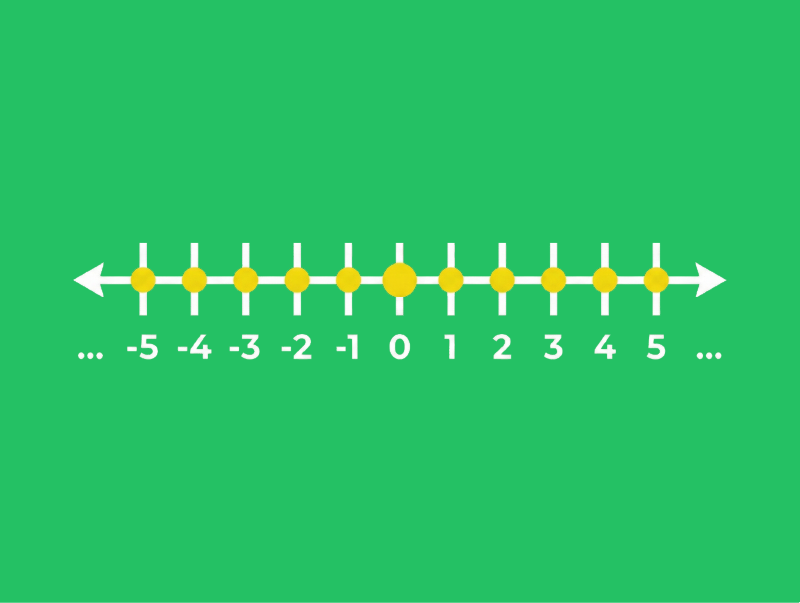
To represent negative numbers, we need a way to indicate the “sign” of a value (whether it is positive or negative) as well as its size.
Two common methods of achieving this are:
- One’s complement
- Two’s complement
Let’s look at each of these in more detail.
One’s Complement
In One’s Complement, we create a negative number by flipping every bit of the positive version.
So all 0s become 1s, and all 1s become 0s.
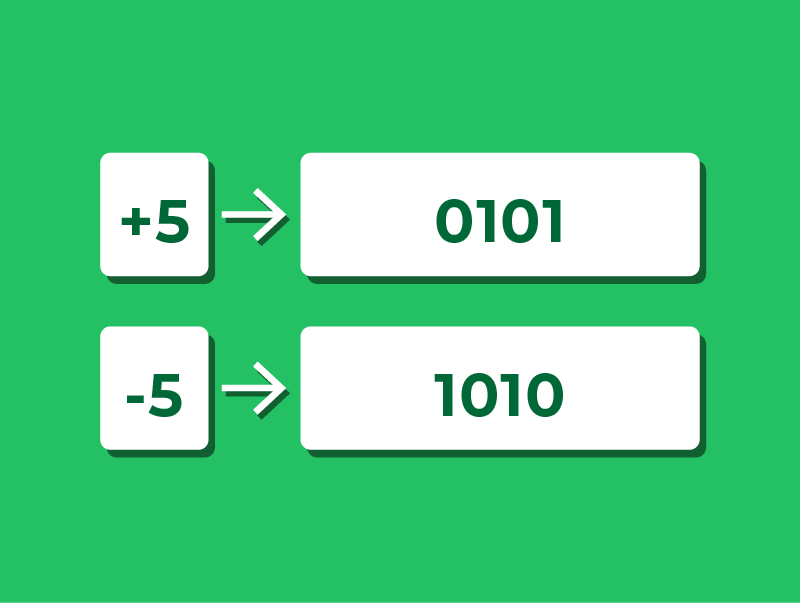
With One’s Complement, the most significant bit shows the sign. If it’s 0 the number is positive; if it’s 1 the number is negative.
For example, in a 4-bit system:
- +5 is 0101
- Flip all the bits → 1010, which represents −5
Using One’s Complement
Let’s look at a quick example of how One’s Complement works.
Suppose we want to represent −3 in a 4-bit One’s Complement system.
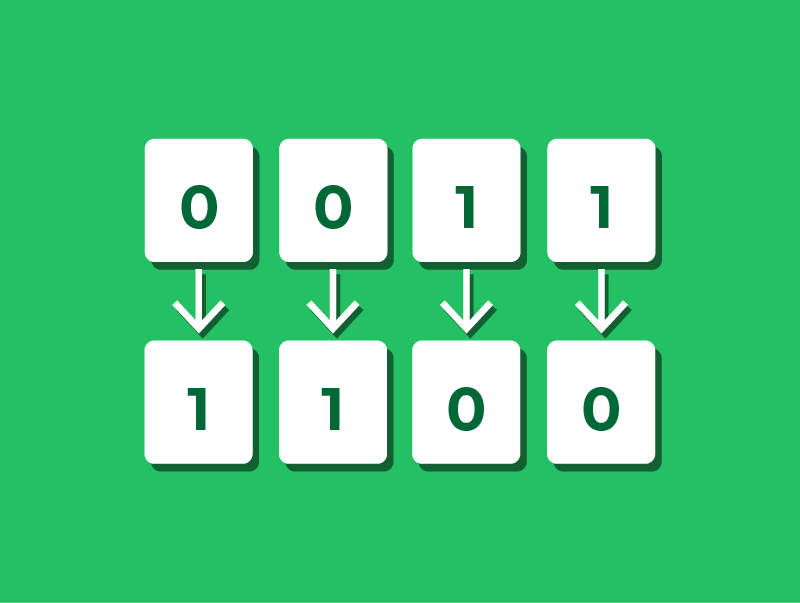
- First, write +3 in binary using 4 bits: 0011
- Flip all the bits to get the negative: 1100
So in 4-bit One’s Complement, 1100 represents −3.
To get back to the positive value, we can flip the bits again:
- Flip 1100 → 0011, which is +3.
This “flip all the bits” rule is what defines One’s Complement.
The Problem with One’s Complement
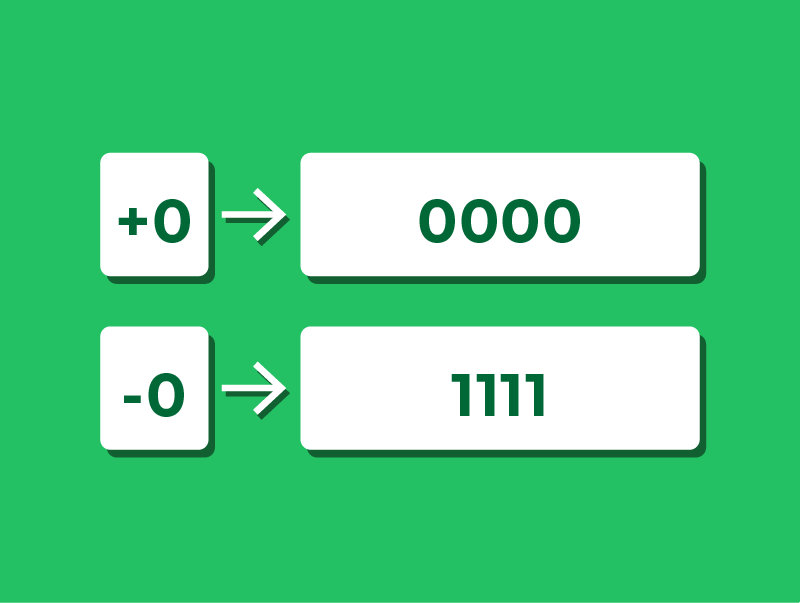
One’s Complement is simple to apply, but it has an important drawback: You still end up with two ways to represent zero.
For example:
- +0 is 0000
- −0 is 1111
Having two versions of zero can cause problems when performing arithmetic, which is one reason One’s Complement is rarely used in modern systems.
Two’s Complement
Most modern computers use Two’s Complement to represent negative numbers.
In Two’s Complement, the most significant bit is no longer just a simple “sign” bit.
Instead, that bit is treated as a negative column, while the other bits remain positive columns.
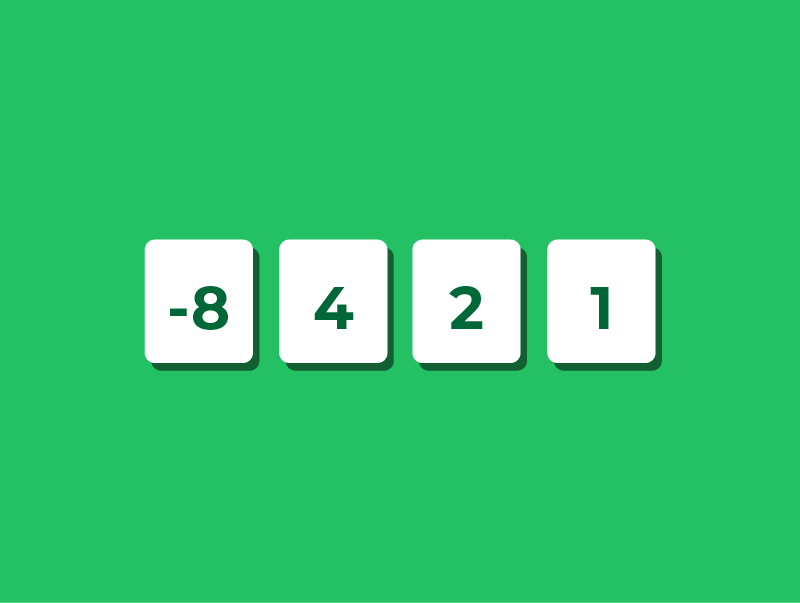
In a 4-bit two’s complement system, the columns represent: −8, 4, 2 & 1.
This means the left-most bit has a value of −8, not +8. The other bits are the same as before.
Using these columns, we can represent both positive and negative numbers without needing a separate “negative zero”.
Reading Two’s Complement
Let’s take a 4-bit number and see how Two’s Complement represents negative values.
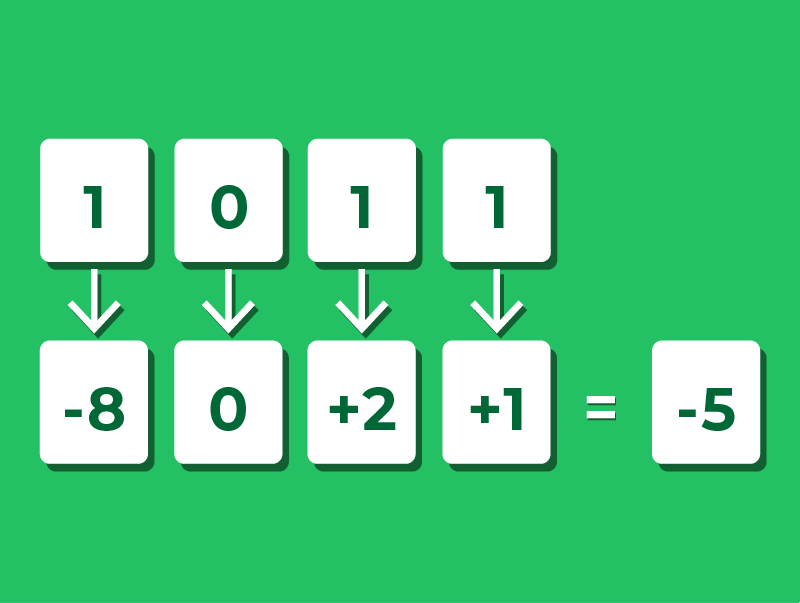
Suppose we want to understand what 1011 represents.
First, place each bit into its column values: −8, 4, 2, and 1.
- The left-most bit is 1, so we include −8
- The next bit is 0, so we include 0 fours
- The third bit is 1, so we include 2
- The last bit is 1, so we include 1
Now add these values together: −8 + 2 + 1 = −5.
Notice that the method is exactly the same as reading positive binary numbers, just with the left-most column representing a negative value.
Writing Two's Complement
We’ve seen how to read a two’s complement number. Let’s now see how to convert a negative decimal number into two’s complement.
The process uses three steps:
- Write the positive version of the number in binary
- Flip every bit
- Add 1 to the result
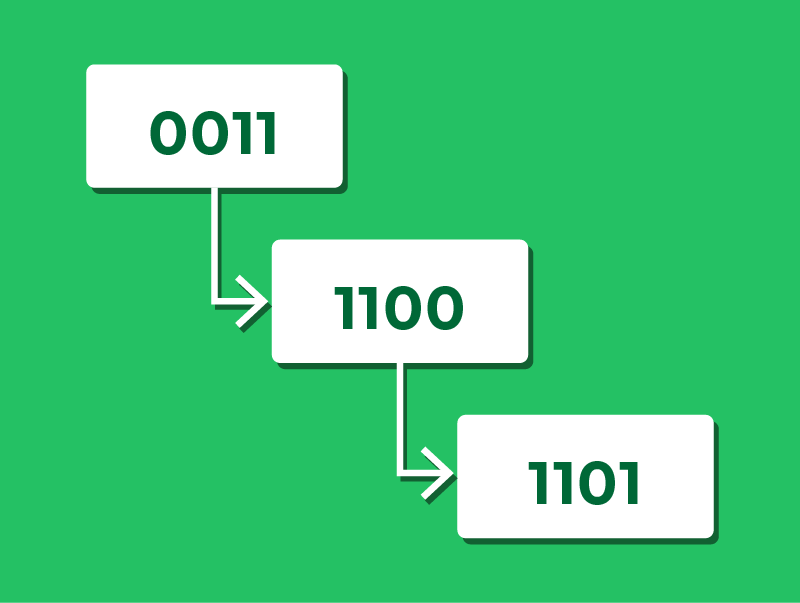
For example, to represent −3 in 4-bit two’s complement:
- Write +3 in binary using 4 bits: 0011
- Flip every bit: 1100
- Add 1: 1101
We can verify this using the column method: −8 + 4 + 0 + 1 = −3.
Representing Floating-Point Numbers
So far, we’ve only represented whole numbers (integers) in binary.
However, many real-world values are not whole numbers.
Think about money (£12.99), temperature (18.5°C), or time (3.25 seconds).
To handle these, a computer needs a way to store numbers with a fractional part, as well as very large and very small values, using a fixed number of bits.
Floating-point representation is designed to do exactly this.
Standard Form
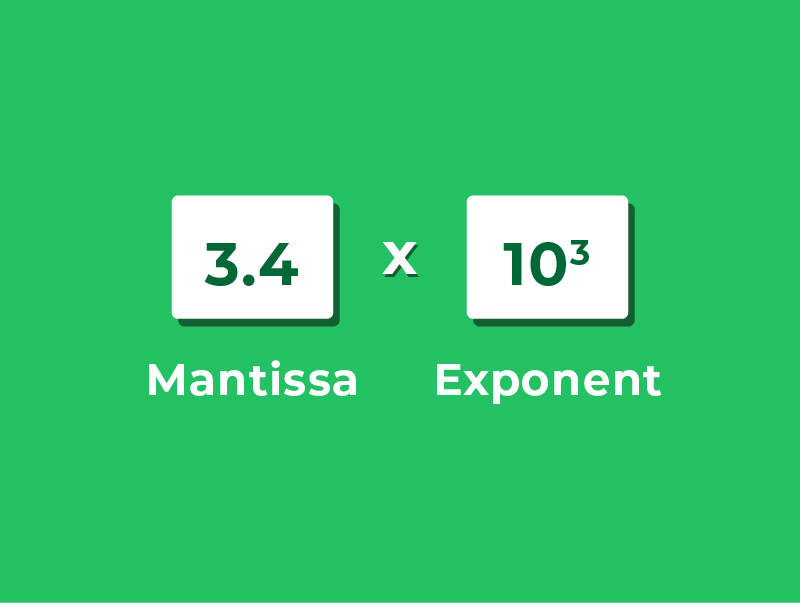
Floating-point numbers in binary are based on the same idea as writing numbers in standard form (or scientific notation) in decimal.
Instead of writing 3400, we can write:
- 3.4 × 10³
This separates the number into two parts:
- 3.4 is the mantissa (or significand)
- 10³ is the base and exponent
By changing the exponent, we move the decimal point, allowing us to represent a very wide range of values.
Floating-point in binary works the same way, but uses powers of 2 instead of powers of 10.
Floating-Point Representation in Binary
A binary floating-point number is also split into two parts:
- Mantissa – holds the main binary digits of the value
- Exponent – tells us how far to move the binary point
Both the mantissa and the exponent are stored using two’s complement.
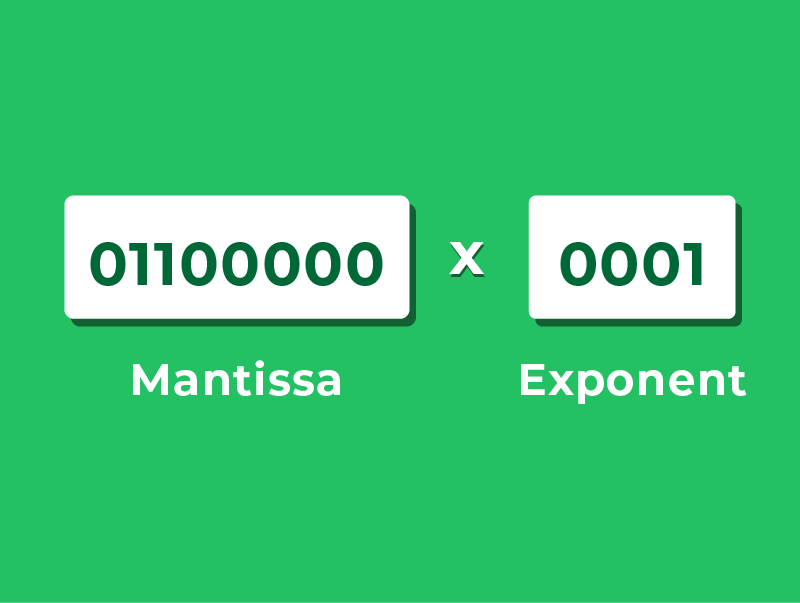
So, for example, we might write out the number 01100000 0001.
Here:
- The mantissa is an 8-bit two’s complement fraction
- The exponent is a 4-bit two’s complement integer
Because the same value can be written with different mantissa–exponent combinations, we need a consistent way to choose a single, standard form.
This is achieved through normalisation.
Normalisation
Before encoding a value into floating-point, we need a consistent rule for where to place the binary point in the mantissa.
This is normalisation.
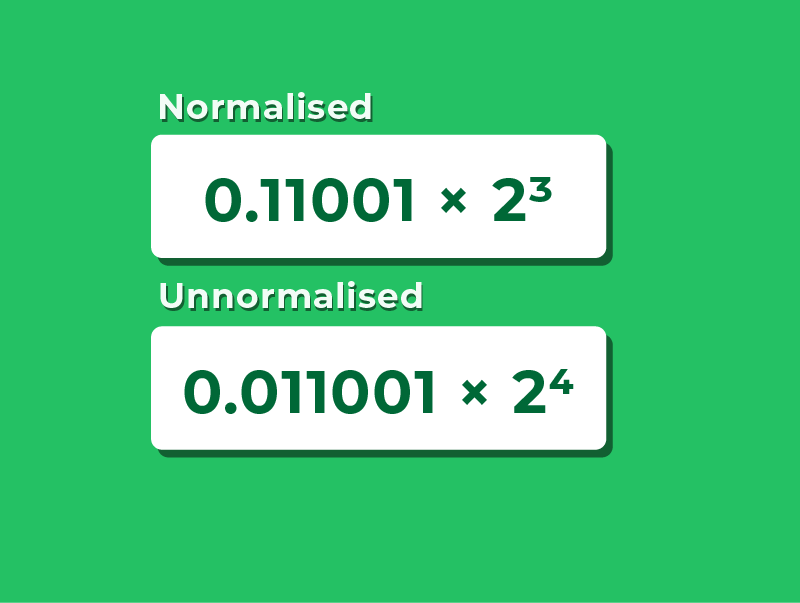
A normalised mantissa never has a redundant bit immediately after the binary point:
- Positive numbers must start 0.1 (not 0.0…)
- Negative numbers must start 1.0 (not 1.1)
For example, to represent +6.25:
- 0.11001 × 2³ ← normalised
- 0.011001 × 2⁴ ← not normalised
Normalisation ensures every value has exactly one valid floating-point representation.
Reading Floating-Point Numbers
Let’s use a simple floating-point format with: 8 bits for the mantissa, and 4 bits for the exponent.
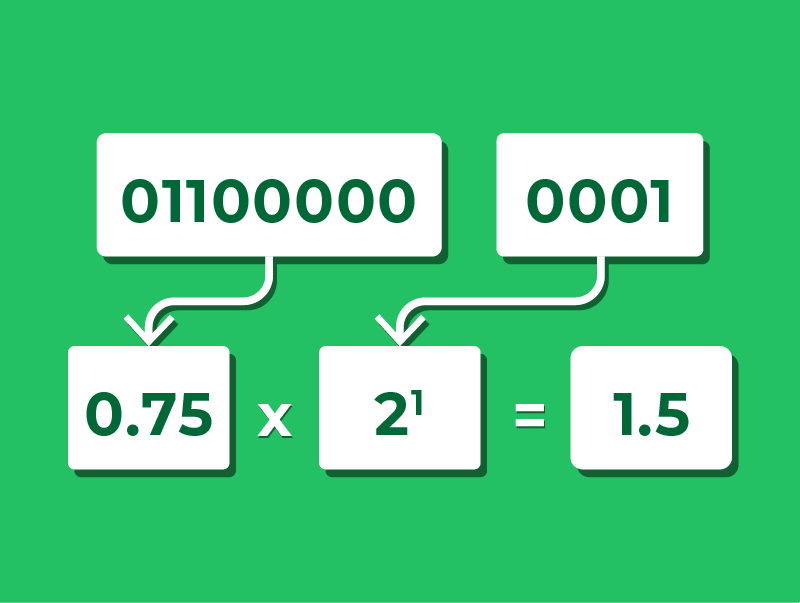
Consider the bit pattern 01100000 0001.
To interpret this number, we first convert the mantissa.
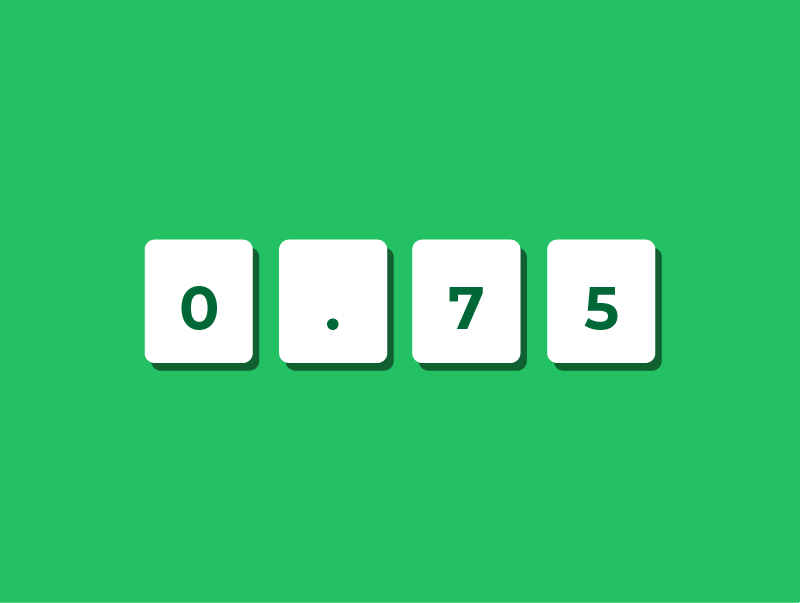
The mantissa 01100000 represents the binary fraction 0.11000000, which is 1/2 + 1/4 = 0.75 in decimal.
Next, we convert the exponent.
0001 is equal to 1 in decimal.
To find the final value, we do: value = mantissa × 2^(exponent).
So the overall value is: 0.75 × 2¹ = 1.5.
So the bit pattern 01100000 0001 represents the decimal number +1.5.
Writing Floating-Point Numbers
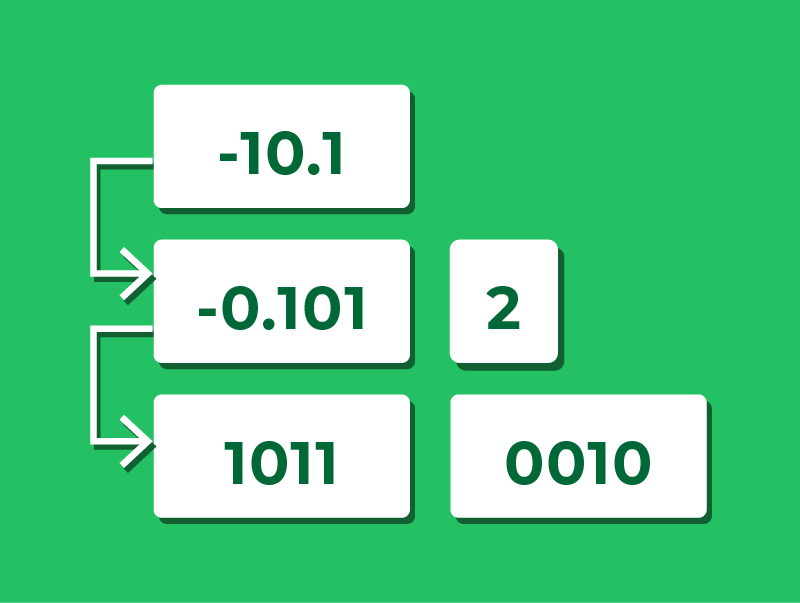
Let’s write the decimal number -2.5 in as a floating-point bit pattern using a 4-bit mantissa and a 4-bit exponent.
1.Write in binary: The integer part 2 = 10, and the fractional part 0.5 = 0.1, so −2.5 = −10.1 in binary
2.Normalise (shift the binary point left to get 1.0… form): shift two places left to give −0.101 × 2²
- Mantissa = −0.101, Exponent = 2
3.Encode the mantissa using two’s complement:
- Write the positive version: +0.101 = 0101
- Flip every bit: 0101 → 1010
- Add 1: 1010 + 1 → 1011
4.Encode the exponent +2 in two’s complement: 0010
We have our result: 1011 0010.
Lesson Summary
To store negative integers, computers use One’s Complement or Two’s Complement.
In One’s Complement, a negative value is formed by flipping every bit of the positive version.
In Two’s Complement, negative values are formed using a most significant bit that has a negative place value.
Floating-point numbers follow the same idea as standard form in decimal, separating each number into a mantissa and an exponent.
As the same value can be written in multiple floating-point forms, normalisation is used to give a single, consistent representation.
To interpret a floating-point number, we convert the mantissa and exponent from two’s complement and apply the rule: value = mantissa × 2^(exponent).