Introduction
One of the things we can do with binary data is shift the number of bits left or right.
This gives us a very quick way of multiplying or dividing any binary number by 2.
However, this can lead to an issue, known as an overflow error.
In this lesson, we’ll learn about:
- Binary shifting
- Overflow errors

What is Binary Shifting?
Binary shifting is where we take any binary number and then shift it to the left or the right.
We then replace the empty space with a 0.
When shifting to the left, we add a new 0 onto the right-hand side of our binary sequence.
When shifting to the right, we add a new 0 onto the left-hand side of our binary sequence.
Why do we do this?
Shifting in binary is a very quick method of multiplying or dividing any number by 2 every time you shift one place.

Shifting to the Left
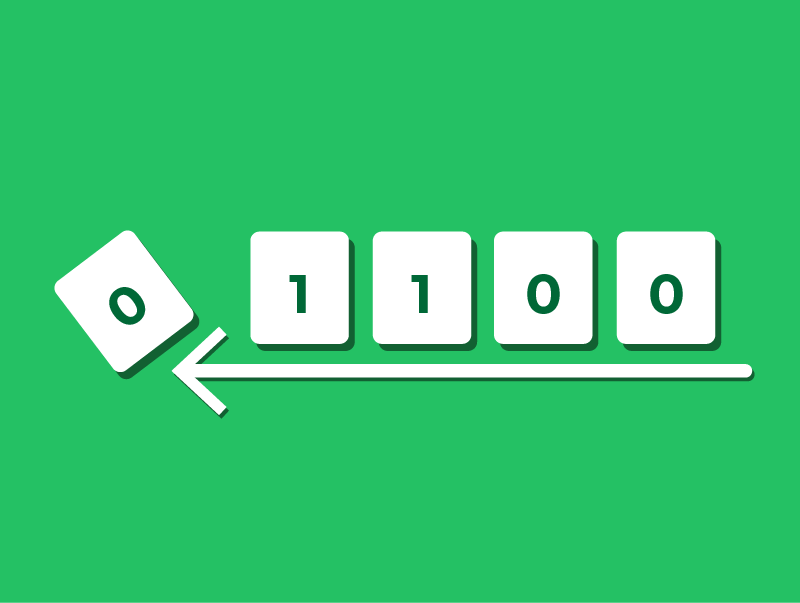
Let’s take the binary number 0110 and shift it to the left by 1 place.
Shifting our number to the left one place leaves an empty space on the right, which we simply fill with a 0.
This gives us 1100.
1100 in decimal is 12, which is double 0110, which is 6 in decimal.
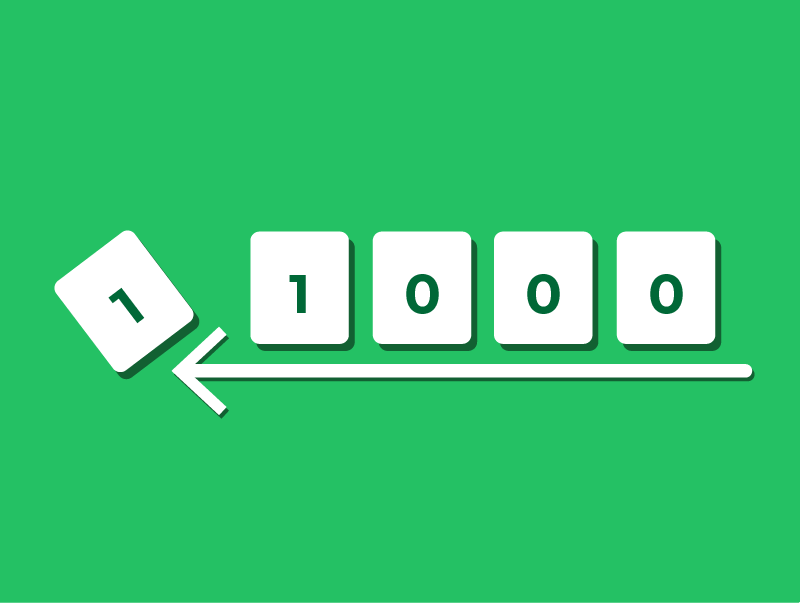
What would happen, though, if we then shifted to the left one more time?
As we’re using 4-bit binary, there is no column for the leading ‘1’, so it falls off the end.
This leaves us with 1000, which is 8 in binary. This is clearly incorrect.
This is called an Overflow Error. We’ll learn about this more later in this lesson.
Shifting to the Right
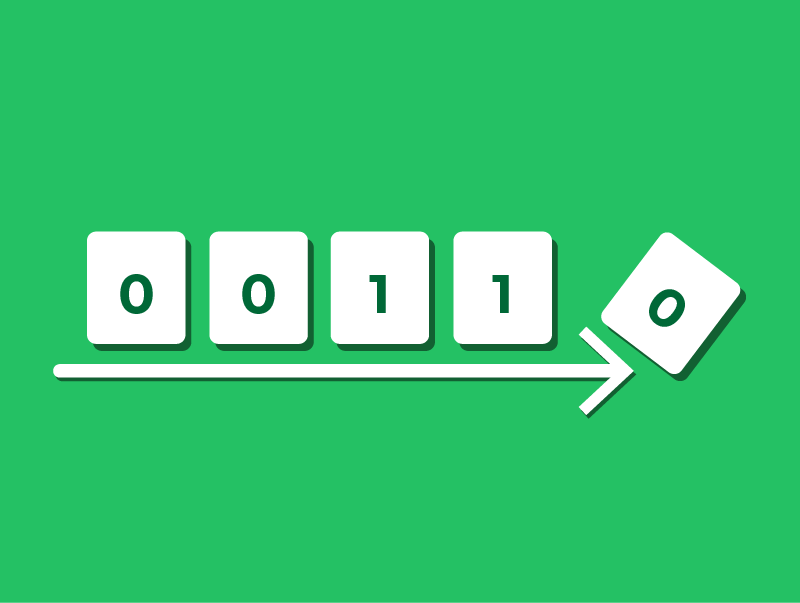
Let’s return to our initial number again, 0110, and shift it to the right.
Shifting to the right will knock off the far right-hand bit, and we’ll add a 0 to the empty left-hand side, leaving us with 0011.
0011 in decimal is 3, which is half 0110, which is 6 in decimal.
What would happen, though, if we then shifted to the right one more time?
We’d get 0001 (which is also 1 in decimal).
We know that 3 ÷ 2 = 1.5, not 1.
The reason this has happened is because in this form of binary we’re not storing decimals, so the fraction is discarded.
This is known as a truncation error.
What is an Overflow Error?
Earlier, we saw that shifting a binary number to the left multiplies it.
However, we also saw that if we shift too far, a 1 can “fall off” the end of the binary sequence.
This is the core definition of an Overflow Error.
It occurs when the result of a calculation involves more bits than the CPU has available to store the result.
Think of it like a car odometer (mileage counter) that only goes up to 999. If you drive one more mile, it rolls over to 000, not 1000.
In a computer, if a number becomes too large for its assigned number of bits, the “carry” bit is lost, and the computer stores a completely incorrect, smaller number.
Problems Caused by Overflow Errors
Overflow errors can cause significant issues because the computer might not realize it has made a mistake.
It might simply carry on processing using the wrong number. This usually leads to two types of software problems:
- Data Corruption and Logic Errors
If a program expects a large positive number but gets a zero (or a negative number), the software will behave unpredictably.
Example: In a video game, a player’s score might suddenly reset to 0 after reaching a maximum value.
- System Crashes
If the overflow happens during a critical calculation (like memory allocation), the program may simply freeze or crash completely.

Problems Caused by Overflow Errors: Real World Example
In critical systems, overflow errors can be dangerous.
A famous example is the Ariane 5 rocket explosion in 1996.
What happened?
The guidance computer tried to fit a 64-bit number into a 16-bit space.
This caused an overflow error, which the computer interpreted as flight data.
The Result
The rocket thought it was off-course and made a drastic correction.
The rocket disintegrated 40 seconds after launch.
This proves that handling binary correctly is vital for safety, not just for getting good grades!

Avoiding & Dealing with Overflow: Programmer Methods
So, how do we stop this from happening?
Programmers have several ways to prevent these errors when writing code.
- Use Larger Data Types
The easiest solution is to allocate more bits for the number.
If 8 bits (max value 255) aren’t enough, use 16 bits (max value 65,535) or 32 bits (max value over 4 billion).
- Range Checking
Programmers can write code to check the value of variables before performing a calculation.
If the number is too big for the next step, the program stops the user rather than crashing.

Avoiding & Dealing with Overflow: CPU Flags
Sometimes, we cannot predict an overflow, so the computer hardware helps us out.
The Overflow Flag
The CPU has a specific status bit called a “Flag.”
Think of this like a warning light on a car dashboard.
How it works
If an overflow occurs during a calculation, the CPU raises this flag (sets it to 1) to alert the system.
The software can then be written to “catch” this error and handle it gracefully, rather than crashing or using the wrong number.

Lesson Summary
Binary shifting is when you move a binary number to the left or right.
When shifting to the left, we add a new 0 onto the right-hand side of our binary sequence. This multiplies your number by 2.
When shifting to the right, we add a new 0 onto the left-hand side of our binary sequence. This divides your number by 2.
If the number of bits required to store the answer is bigger than the number of bits allocated, then this causes an overflow error.
Overflow errors can lead to data corruption and system crashes with real-world implications.
We can avoid and deal with overflow by using large data types, range checks and CPU flags.