Introduction
So far, we’ve learned how to store positive integers, negative integers, and floating-point numbers as binary data.
However, a computer is more than just a storage device.
The processor (CPU) needs to process this data to perform tasks.
At the heart of this processing is the ability to perform mathematical calculations on binary numbers.
In this lesson, we’ll learn about:
- How to perform binary addition
- How to perform binary subtraction
- How to multiply binary numbers
- How to divide binary numbers

Binary Addition
Adding binary numbers works almost exactly the same way as adding decimal numbers.
We start from the right-most column (the least significant bit) and add the numbers together.
However, because binary only has two digits (0 and 1), the rules are very simple:
- 0 + 0 = 0
- 0 + 1 = 1
- 1 + 0 = 1
- 1 + 1 = 0 (carry the 1)
- 1 + 1 + 1 = 1 (carry the 1)
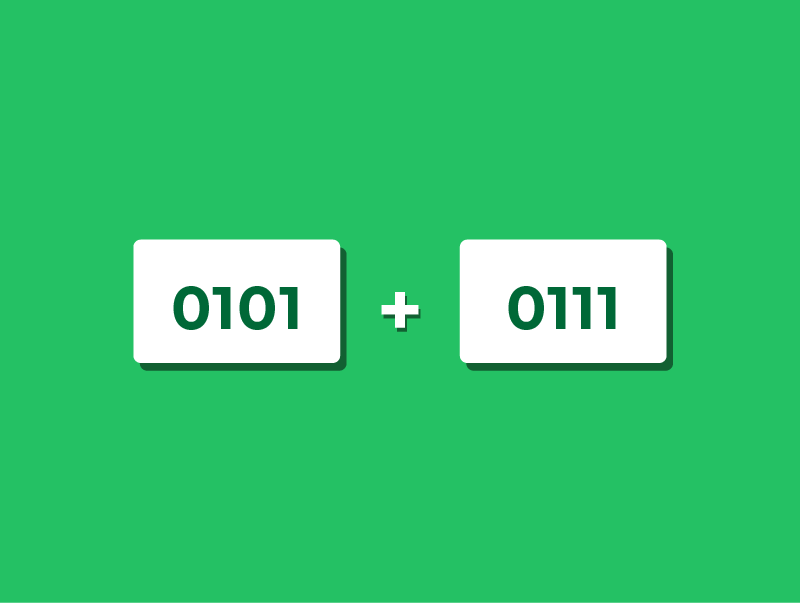
Binary Addition Example
Let’s try adding the binary numbers 0101 (5) and 0111 (7).
We expect the answer to be 12.
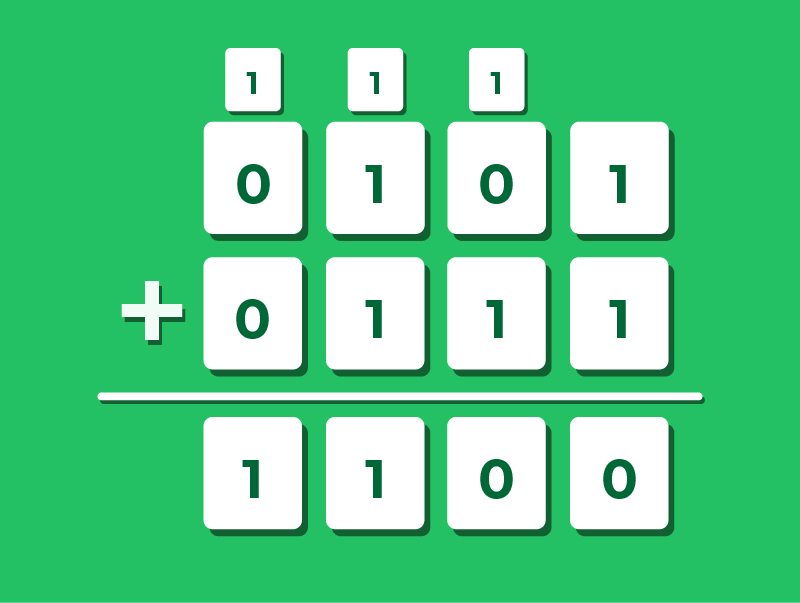
Step 1: Start with the 1s column. 1 + 1 = 0, carry the 1 to the next column.
Step 2: Move to the 2s column. 0 + 1 + (carried 1) = 0, carry the 1.
Step 3: Move to the 4s column. 1 + 1 + (carried 1) = 1, carry the 1.
Step 4: Move to the 8s column. 0 + 0 + (carried 1) = 1.
Result: The final binary pattern is 1100.
If we convert 1100 to decimal (8 + 4), we get 12.
The calculation is correct.
Binary Subtraction
In primary school, you likely learned subtraction using the “borrowing” method.
While this works in binary, computers rarely use it.
Instead, computers perform subtraction by adding a negative number.
As we learned in the previous lesson, we use Two’s Complement to represent negative values.
So, to calculate A – B, the computer actually calculates A + (-B).
This makes the circuitry in the CPU much simpler/cheaper, as it only needs to know how to add.
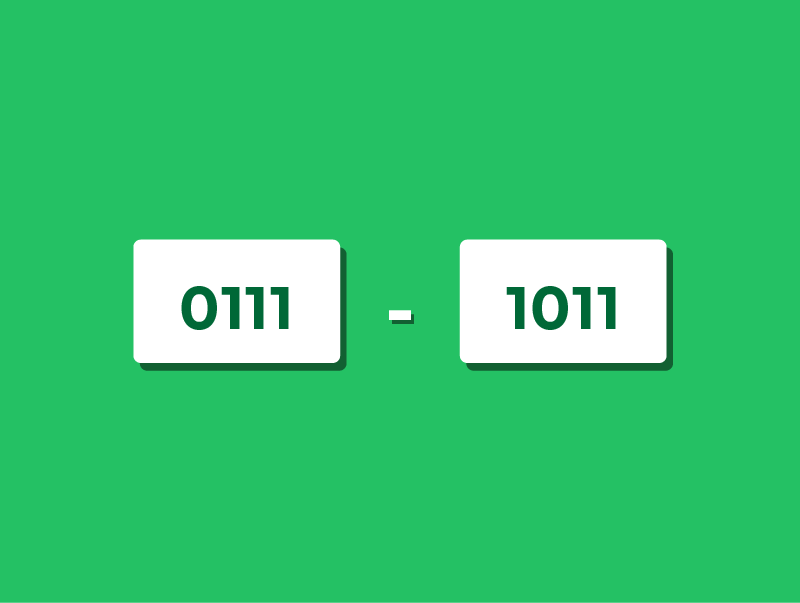
Using Two's Complement to Subtract
Let’s calculate 7 – 5 using 4-bit binary.
Step 1: Write out positive 7 in binary: 0111.
Step 2: Write out positive 5 in binary: 0101.
Step 3: Convert the 5 into -5 using Two’s Complement (Flip the bits and add 1): 1011
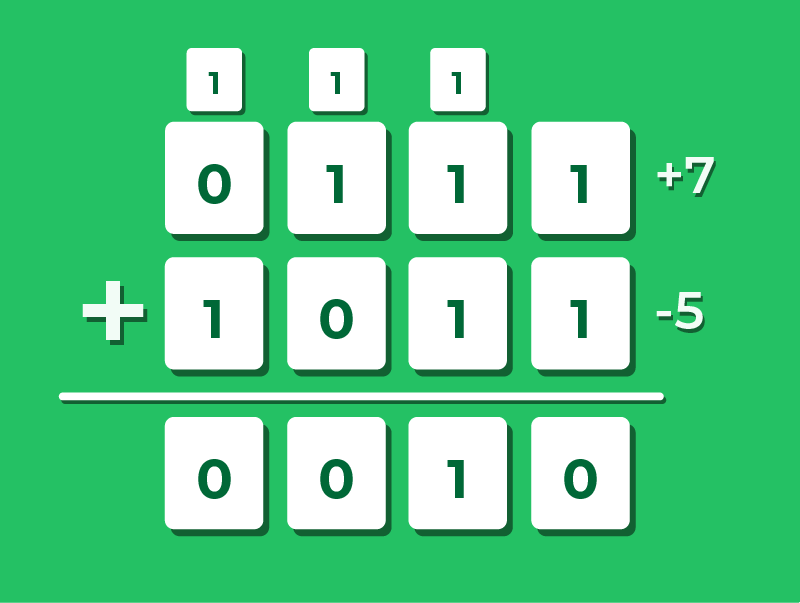
Step 4: Now add the two numbers together: 0111 (7) + 1011 (-5).
- 1 + 1 = 0 (carry 1)
- 1 + 1 + (1) = 1 (carry 1)
- 1 + 0 + (1) = 0 (carry 1)
- 0 + 1 + (1) = 0 (carry 1) -> This final carry is discarded.
Result: Ignoring the discarded carry, we are left with 0010, which is decimal 2.
Binary Multiplication
Binary multiplication uses the “long multiplication” method, just like in decimal.
Ideally, it is actually much easier than decimal because you only ever multiply by 1 or 0.
If the multiplier digit is 1, you copy the number down.
If the multiplier digit is 0, you write down all zeros.
For every new row you multiply, you must shift your answer one place to the left (often using a placeholder 0), just like in decimal long multiplication.
Finally, you add all the rows together to get the result.

Binary Multiplication Example
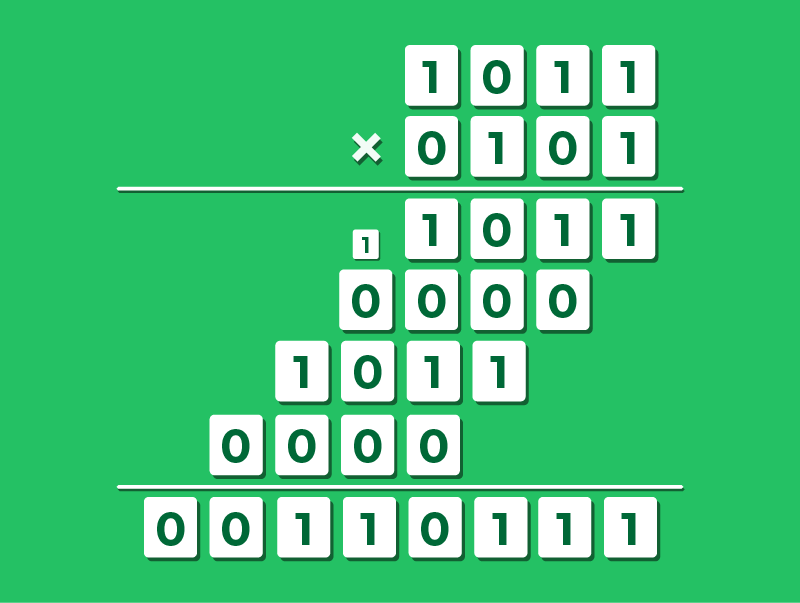
Let’s multiply 1011 (11) by 0101 (5).
Step 1: Multiply 1011 by the right-most 1. Result: 1011
Step 2: Multiply 1011 by 0. Shift left one spot. Result: 00000
Step 3: Multiply 1011 by 1. Shift left two spots. Result: 101100
Step 4: Multiply 1011 by 0. Shift left three spots. Result: 0000000
Step 5: Add the rows together. Result: 00110111.
If we convert this to decimal (32 + 16 + 4 + 2 + 1), we get 55.
Binary Division
Binary division follows the standard “long division” method.
We look at the number we are dividing by (the divisor) and ask:
“Does it fit into the current chunk of the number?”
If it fits, we write a 1 and subtract the divisor.
If it doesn’t fit, we write a 0 and move to the next bit.
This process relies heavily on the subtraction and addition skills we have just looked at.
Binary Division Example
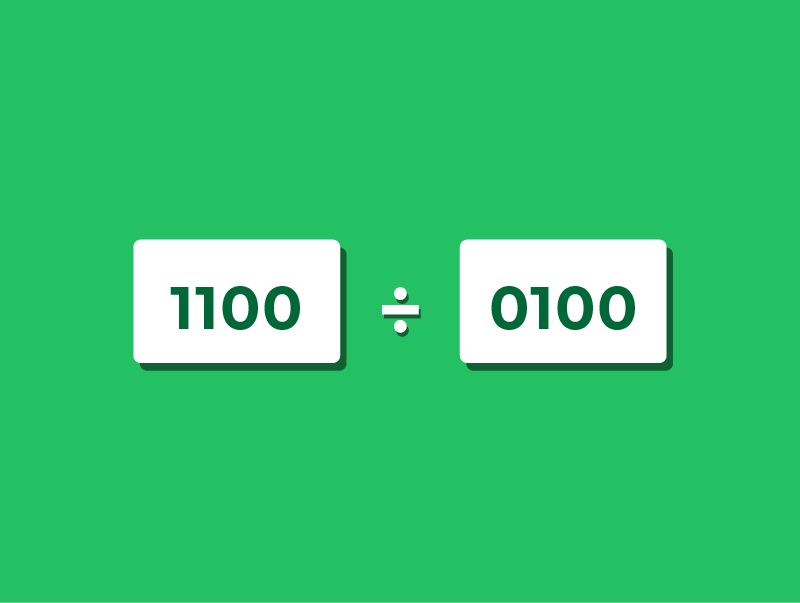
Let’s divide 1100 (12) by 0100 (4)
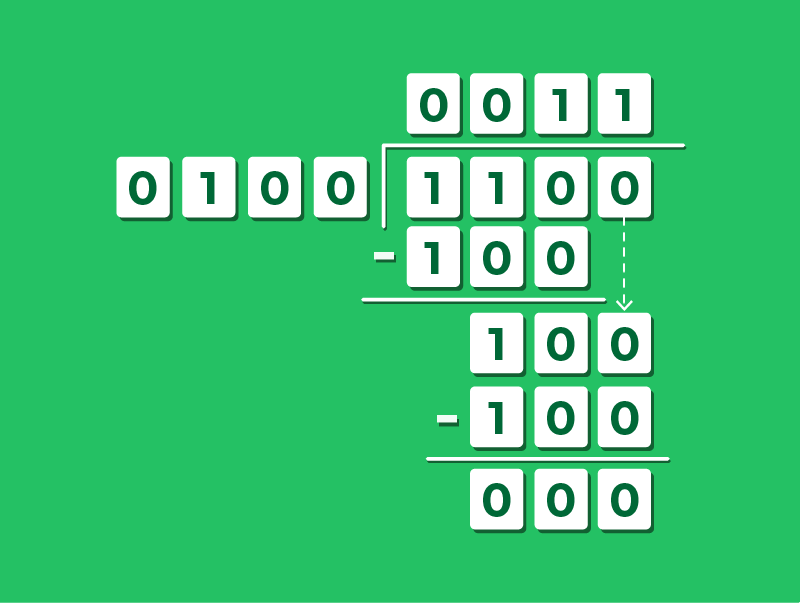
Step 1: Look at the first bit of the dividend (1). Does 0100 fit into 1? No.
Step 2: Look at the first two bits (11). Does 0100 fit into 11? No.
Step 3: Look at the first three bits (110). Does 100 fit into 110? Yes.
- Write a 1 on the top line.
- Subtract 100 from 110 to leave remainder 10.
Step 4: Bring down the next bit (0) to make 100. Does 100 fit into 100? Yes.
- Write a 1 on the top line.
- Subtract 100 from 100 to leave 0.
Result: The number on the top line is 0011, which is decimal 3.
Lesson Summary
Binary Addition follows the same carrying rules as decimal, remembering that 1+1=0 carry 1.
Binary Subtraction is best performed by converting the number being subtracted into Two’s Complement and adding it to the first number.
Binary Multiplication uses the shift-and-add method. You only ever copy the number or write zeros.
Binary Division uses repeated subtraction to see if the divisor fits into the binary number.